Research Without the Budget
Founding, designing and building an async UX research tool for the teams that enterprise platforms have left behind.
Contents
- 01 —Context
- 02 —Origin
- 03 —The gap
- 04 —Strategy
- 05 —How I built it
- 06 —Where it stands
- 07 —Go-to-market
- 08 —What it’s changed
Context
Give small teams, solo practitioners and founders a research tool they can actually use: one that covers the core async methods, with a free tier generous enough to run real studies.
Building a viable product in a market where the incumbents have moved upmarket, as a self-funded side project alongside a full-time role. Every decision about scope, pricing and infrastructure had to work for a business of one.
A working product with six research methods, Prolific recruitment, AI synthesis, workspaces and stakeholder reports, built in a few months. Around ten people have trialled it so far, without recurring use. The product is ready; the market isn’t reached yet, and that’s where my focus is now.
Origin
Tilia started with a problem of my own. At OakNorth, I wanted to run a tree test to inform the restructure of our app’s information architecture. We had access to UserTesting, but tree testing wasn’t on our plan, and adding it meant budget approval and procurement on top of an already expensive platform.
So I built a tree test myself, as an internal tool for the team. Then it turned out there was nowhere central to host it. Rather than let it go, I spun it off as my own project, and started asking whether other people had the same problem.
The gap
My competitor analysis, and the industry surveys I read alongside it, pointed to the same gap from several directions.
Most established research platforms are shifting their attention to enterprise contracts, with pricing to match.
Where free tiers exist, they offer a handful of responses on a handful of studies a month: enough to try the tool, not enough to learn anything.
Platforms heavily favour video interviews. They produce rich insight, but also large, unwieldy datasets that many questions don’t need.
An increasing number of product designers and PMs are expected to run their own research. Without a five-figure budget, the established tools are out of reach.
The people doing more and more of the research were the people the tools were leaving behind. That was the opening.
Strategy
Lightweight by design
Tilia is built around the async methods that answer most everyday product questions, from discoverability to tone of voice, without the overhead of a full research programme. It’s a tool for getting a clear steer quickly, not for running a research department.
Decisions that shaped the product
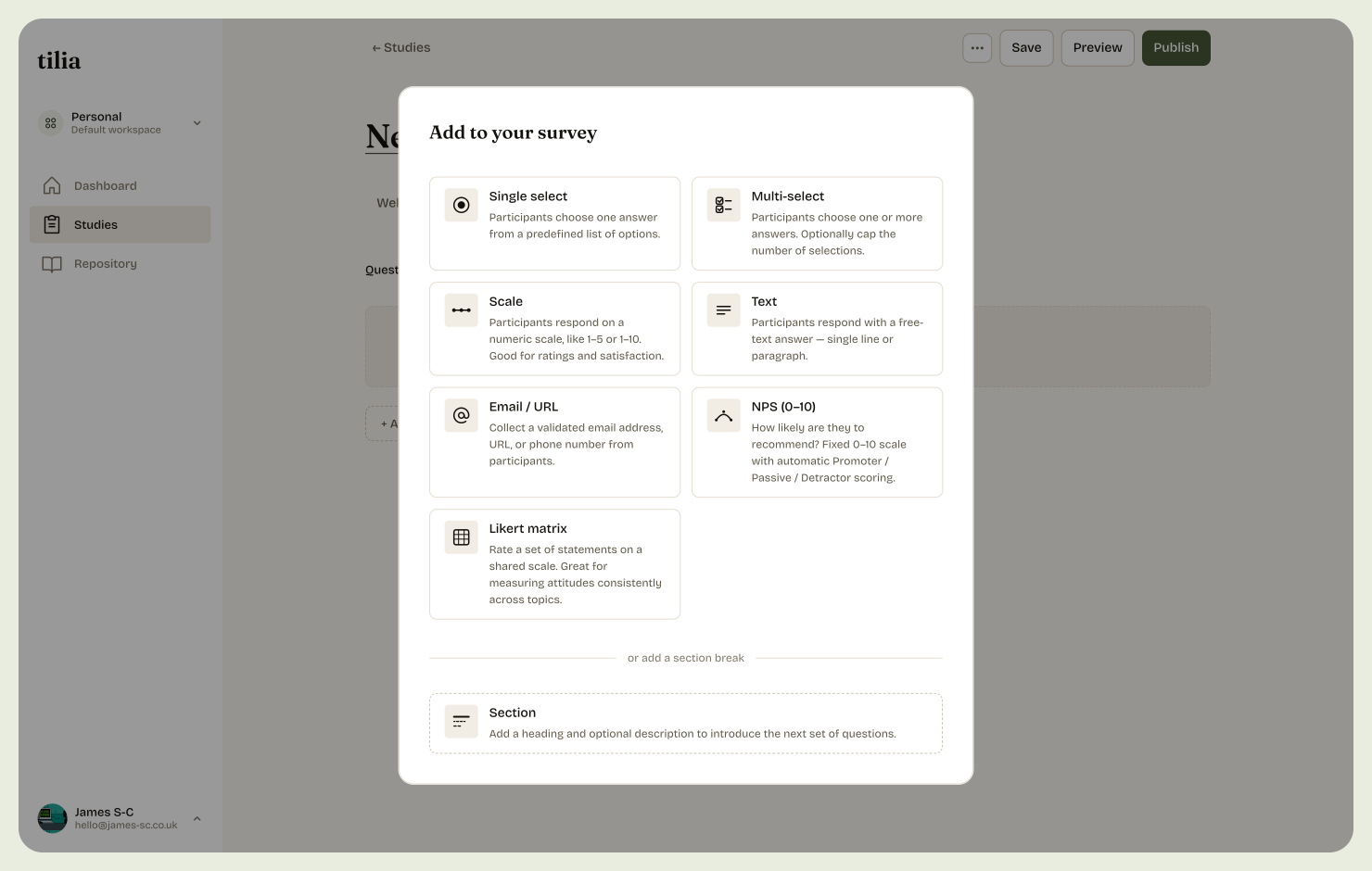
While writing the PRD, six study types stood out as the mainstays of async research: surveys, tree tests, card sorts, preference tests, five-second tests and first-click tests. Together they cover a wide range of problems while staying lightweight.
For a self-funded product, video meant heavy data requirements, sensitive privacy handling and significant bandwidth costs. It also wasn’t needed: in my experience, moderated interviews happen in Google Meet or Teams, the tools a business already has. Why add another? Instead, the roadmap includes uploading interview transcripts so they can be processed into the same research repository.
Students, founders and solo practitioners can run as many studies as they like without hitting a paywall. Paid plans unlock what a regular practice needs: unlimited AI synthesis, dedicated workspaces and an insights repository.
Tilia exists because procurement got in the way of a tree test, so I priced it to stay out of procurement’s way. Pro is £49 a month, within the range most people can expense without approval. Team is £99, roughly double, with more flexibility for small teams researching together.
My research suggested Prolific had the best balance of cost and candidate pool. Before committing, I signed up as a participant and completed around 120 studies over a month, to understand the experience from the other side. It was simple for participants, and straightforward to integrate as a developer.
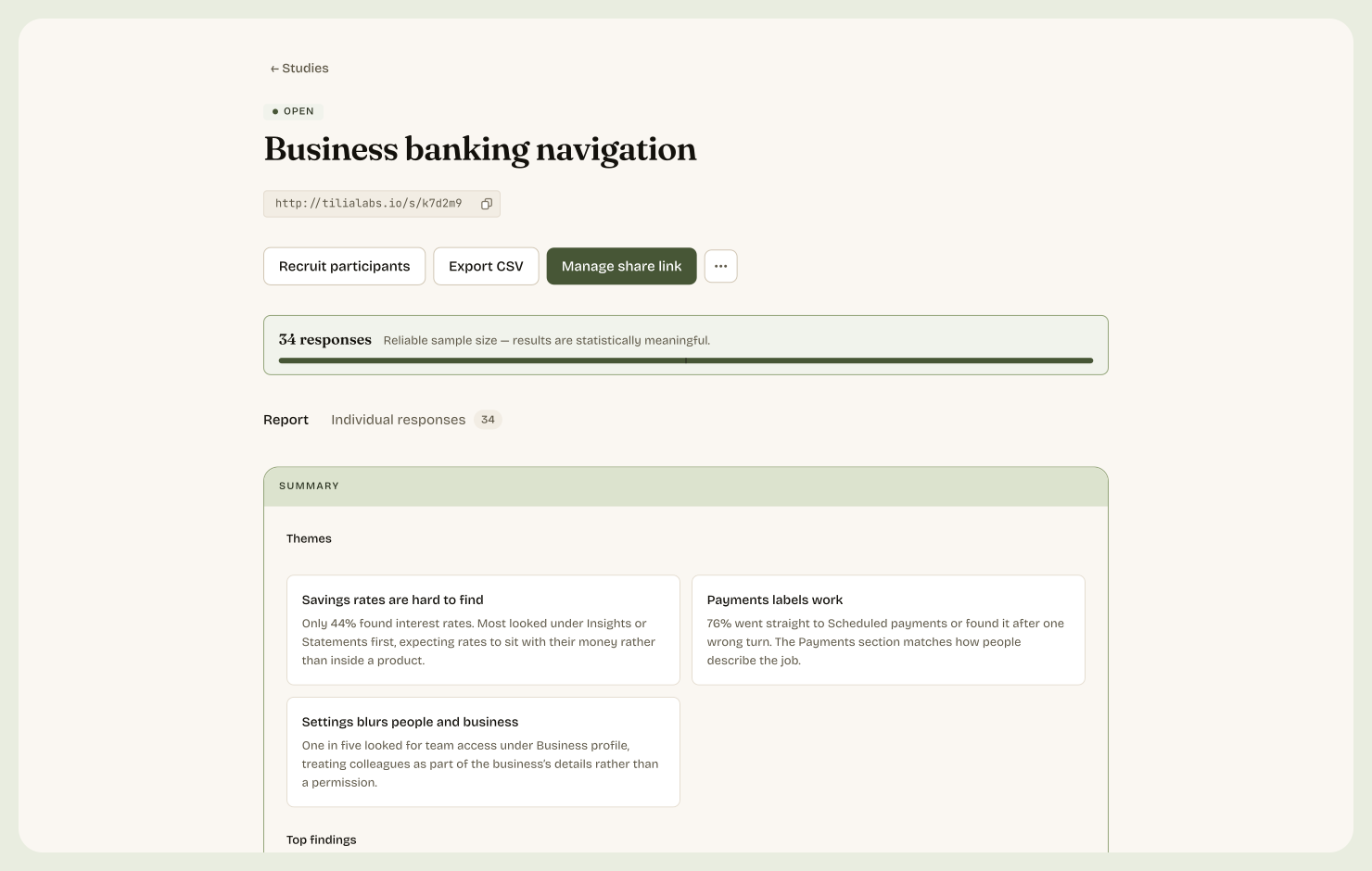
AI synthesis turns responses into themes, key findings and suggested next steps. The raw responses sit alongside it in each study, so researchers can check every conclusion against the data rather than taking the summary on trust.
Each synthesis also feeds a thematic view of the whole product. Insights from separate studies build into one picture over time, bringing out patterns that no single study would show.
How I built it
Director, not developer
I worked as Tilia’s product and design director: I set the direction for the product, the design, the brand and the overall experience, and used AI for the engineering. For each feature, I decided what to build, co-authored a design doc, refined it, then put it into build. I ran regular security audits and code reviews to make sure what we shipped was secure, modular and built to scale.
The first MVP, a tree test and a card sort, took a couple of days. Getting to today’s product, including the brand and marketing site, took 3-4 months alongside my full-time job.
Designing in the browser
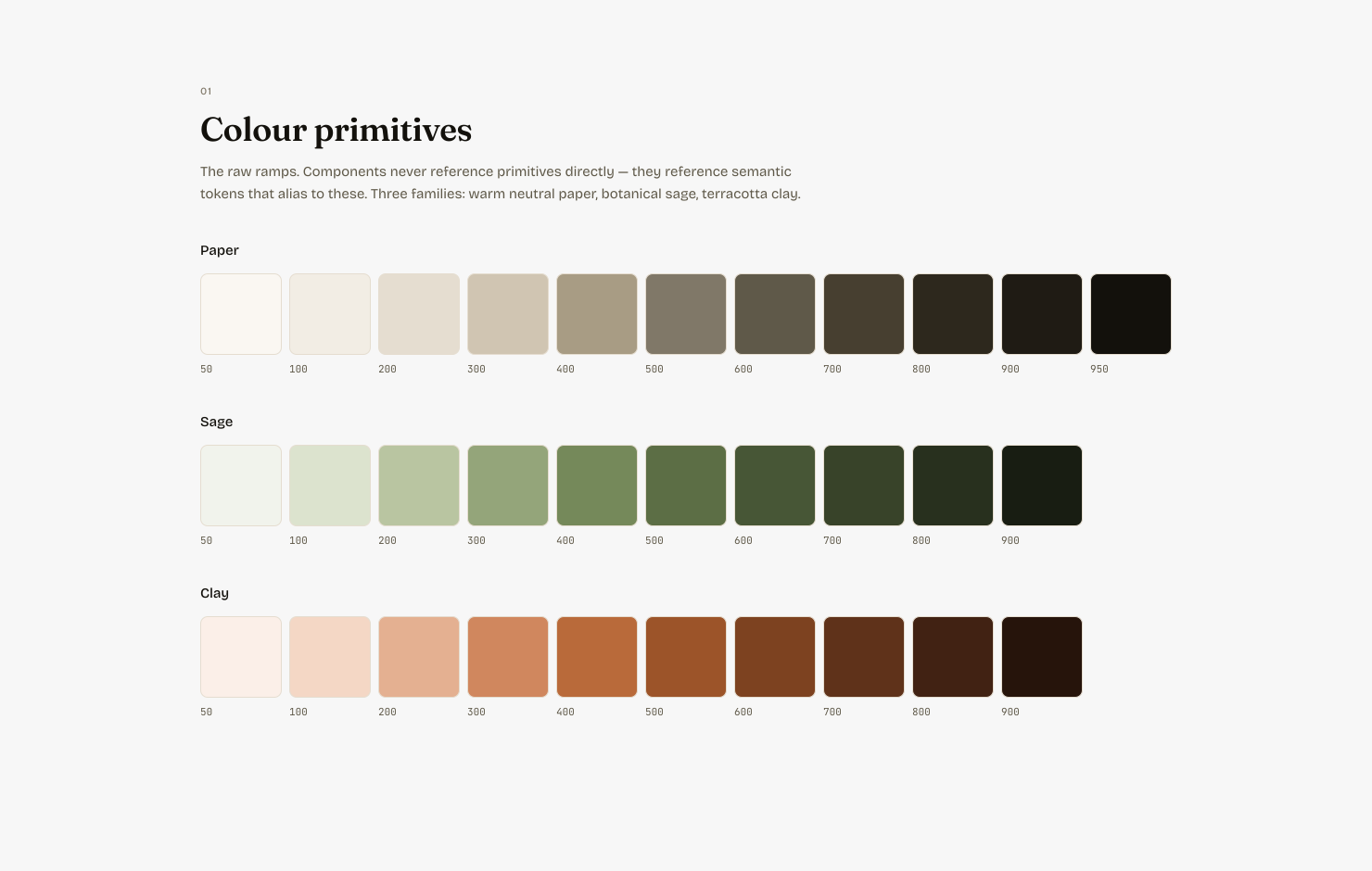
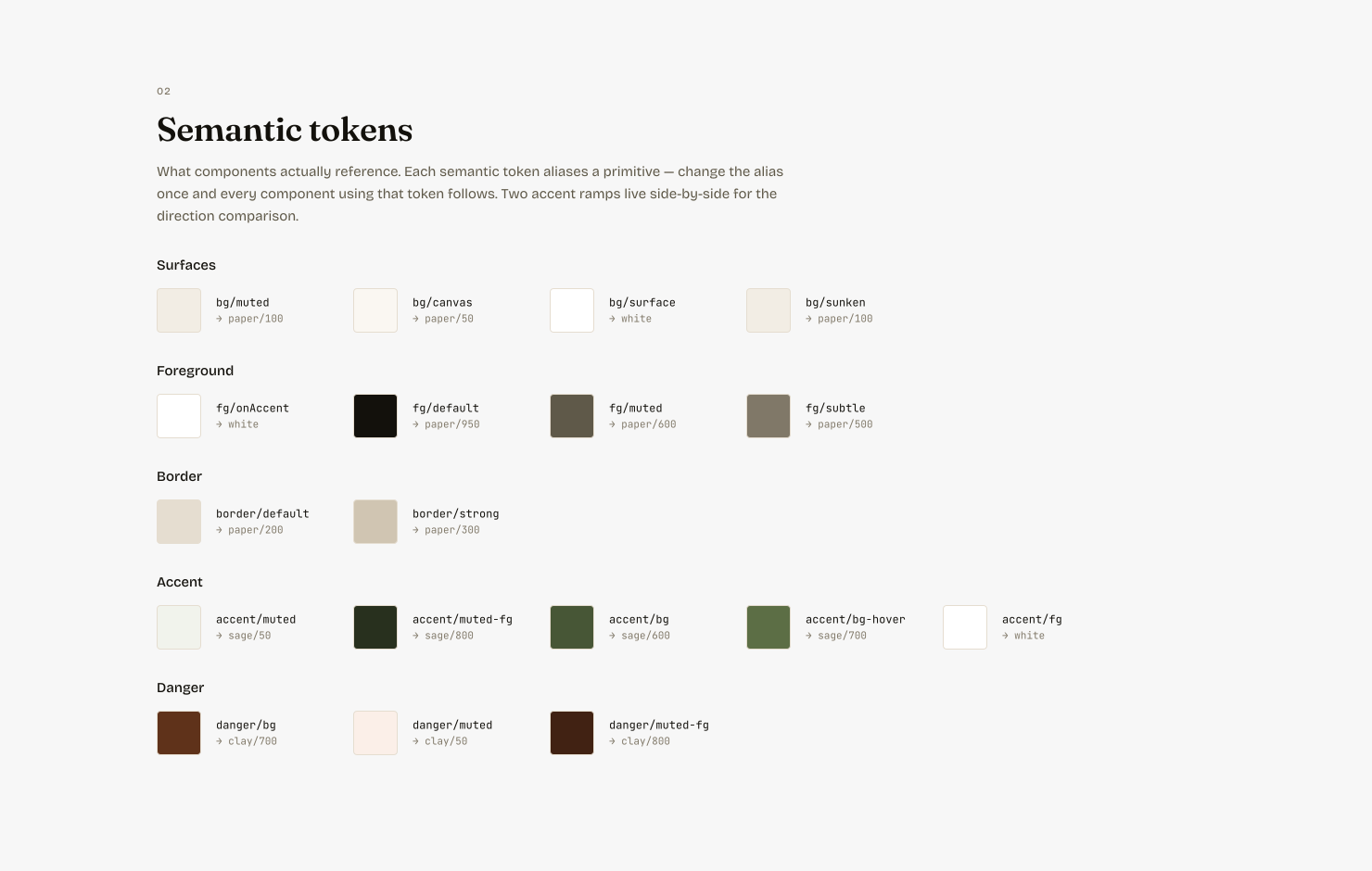
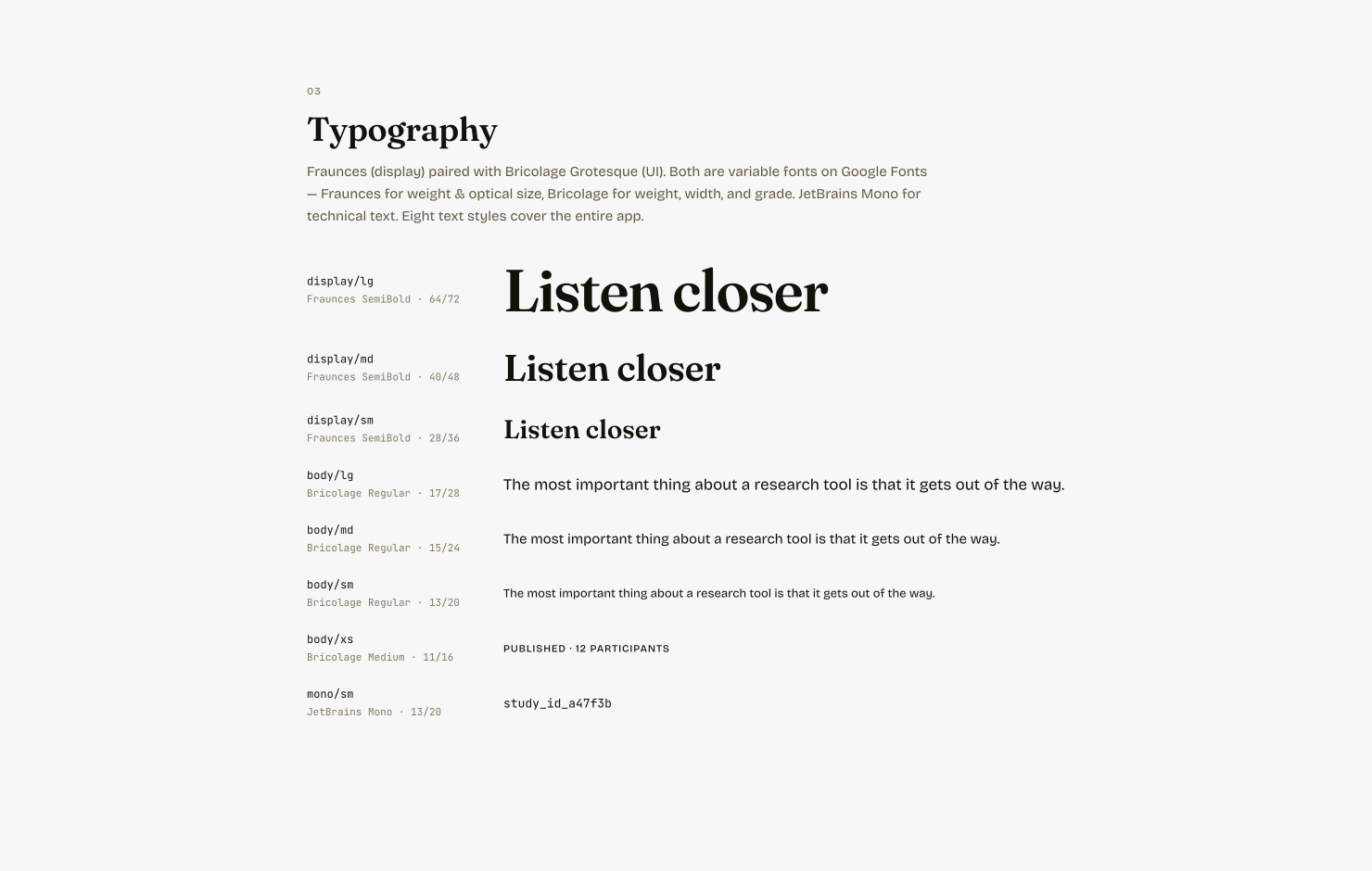
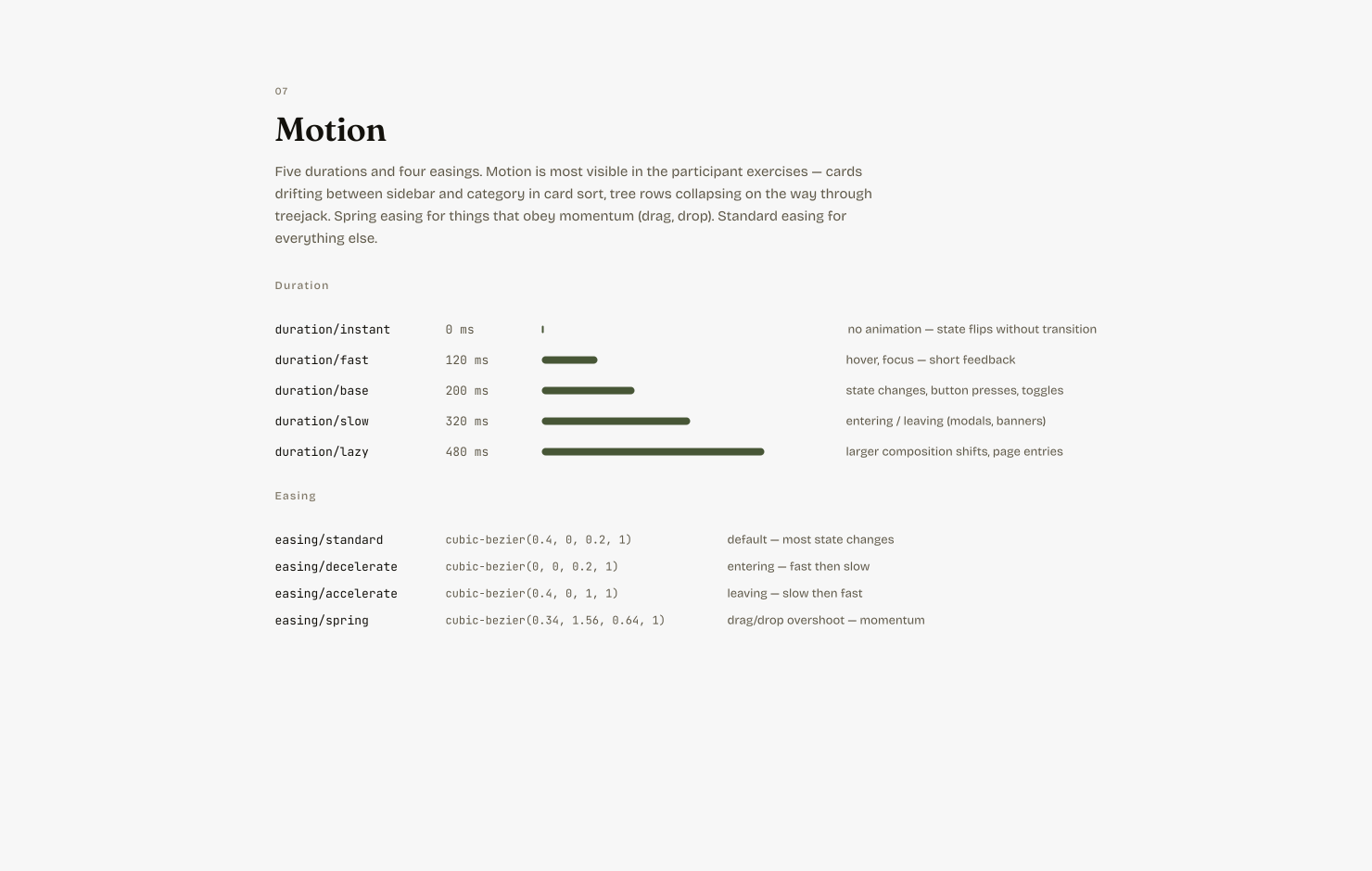
Apart from marketing assets and a small foundation of colour and typography tokens and basic components, almost nothing lives in Figma. I designed in the browser, which meant every design decision was tested the moment it was made: I could see how an idea worked in context, where it broke and how it could be better, by going through the real experience again and again.
The real trade-off
When building costs almost nothing, the usual trade-offs between one feature and another mostly disappear. The constraint moves somewhere else: knowing when to stop building. It’s easy to keep adding features because you can, when what the product actually needs is to be in front of people. That shift is where Tilia is now.
Where it stands
Usage beyond initial exploration has been low, and early users haven’t given much feedback. My hypothesis is about fit between the people and the moment: the people trying Tilia so far came through my network, not because they had a study to run. Research tools get used when there’s a question to answer, so the next challenge is reaching people at that point.
There was a product problem too: the first sign-ups’ initial experience was underwhelming. They landed on a dashboard of empty sections and a reading list, with the quickest way in, Create with AI, three clicks deep. I redesigned it around one rule: everything on the page either shows something real or takes you somewhere. The “What do you want to learn?” box now leads the dashboard, and a new user’s first screen offers a 30-second tour of a study from question to shared results, plus a finished example report, so the payoff is visible before they’ve put any effort in.
Go-to-market
Help first
My plan is to earn attention by being useful: writing practical content about research for designers and PMs on my own site and LinkedIn, and sharing it in the Slack communities where they spend time. Those communities are mostly self-promotion at the moment, so content that genuinely helps should stand out.
A system for consistency
Content only works if it’s regular, and regularity is hard alongside a full-time role, so I built an agentic pipeline to make it a process. Ideas go into a topic list, added by me or by an agent; once a week it briefs me on an article in Slack, and I write it in Notion. Once complete it automatically sub-edits for me, then when I’m happy it pushes it to my portfolio site and generates a snippet for LinkedIn.
What success looks like
Over the next six months, I want to see engagement with these posts grow and turn into traffic to Tilia. The signals I’m watching for are someone outside my network signing up and publishing a real study, and then coming back to run a second. The first would show the content is reaching new people; the second would show the product is worth returning to.
What it’s changed
Building Tilia changed how I think about running design. Working in the browser shortens the distance between noticing a problem and fixing it to almost nothing. If I see a small visual bug, I fix it; it doesn’t need a ticket, or to compete with everything else in a backlog.
That has shown me the value of a workflow that keeps the customer experience at the centre of every decision, and it’s what I’d bring to a team: designers working closer to the real product, with the craft to fix what they find and the judgement to know what’s worth building at all.