Removing the Leap of Faith
Rebuilding YouLend’s white-label capital application to earn merchants’ trust.
Contents
- 01 —Context
- 02 —The Problem
- 03 —Strategy
- 04 —The first leap: Landing
- 05 —The second leap: Financial information
- 06 —Supporting moves
- 07 —Testing
- 08 —Rollout
- 09 —Results
Context
Increase conversion on YouLend’s white-label capital application, embedded in partner platforms including eBay, Amazon and Shopify, while reducing the support load it created.
Earning a merchant’s trust inside someone else’s brand. The flow had to work within strict partner styling limits, across nine countries and six languages. The two biggest drop-offs came at the moments we asked merchants to trust us before giving them a reason to. Partners wanted sign-off on every change before we could migrate them, as they owned the experience their merchants saw.
A trust-led journey rolled out to every partner in the first half of 2025. I demoed it to product and design teams at eBay, Amazon, Booking.com, Dojo and Mollie Capital, and rebuilt our sales demo templates around it, cutting their production time by 90%. Conversion rose 10% on average, Open Banking connections rose 7%, and calls about application status fell 55%.
The Problem
Two leaps of faith
Before I joined, Yvonne (our Senior PM) had mapped the journey in Miro and used Heap to find where merchants were leaving it.

Explains the product, and gives an indication of what you can borrow

Business name, type, country and address

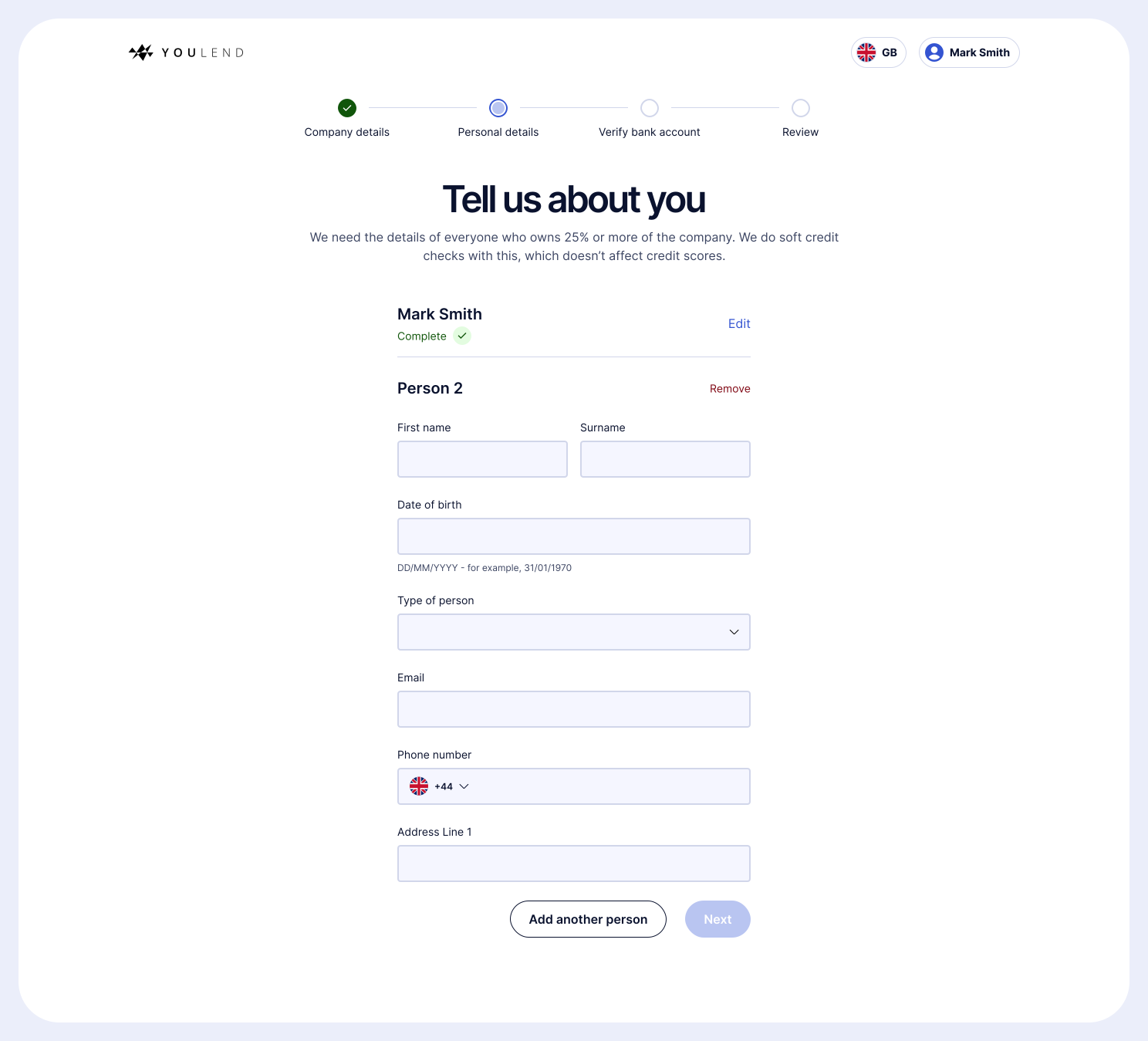
Details of every shareholder who owns at least 25% of the company

Connect a business bank via Open Banking, or upload PDF statements
47%
conversion at the landing page, the first point merchants had to decide whether to trust us
56%
conversion at financial information, where we asked for access to their bank data
The two biggest drop-offs were the two moments where a merchant had to have complete trust: firstly, deciding whether an unfamiliar lender inside a familiar platform was worth their time, and secondly, handing over their banking data.
The cost of not knowing
Customer Support told Yvonne that ‘help with sign up’ was one of their biggest tasks. Merchants who didn’t understand how to apply were walked through it manually, and once they’d finished, their most common question was ‘what’s the latest?’
Every merchant who dropped off was missed revenue and every one who called was a cost. Both issues were driven by a lack of clarity, and therefore trust.
Strategy
Earn trust before asking for it
Every step had to give the merchant a reason before it asked for something. Rather than redesign screen by screen, I focused effort on the two leaps of faith, with everything else as supporting moves that kept merchants moving, and reduced the questions they’d otherwise call us with.
Tied to what we could measure
We set three measures, each tied to a part of the problem rather than to the design itself.

Sign-up conversion at the landing page
Stage 1 conversion, from starting to submitting an application
Customer NPS mentioning the application
Decisions that shaped the journey
Our first hypothesis was that asking for account details early was causing drop-off. Earlier team discovery into passwordless sign-up said otherwise: merchants who hadn’t entered their details upfront were less likely to convert. We kept it, and simplified it into a single modal.
Partners’ styling limits and a mostly mobile audience pointed the same way. Beyond the landing page, I designed single-column forms throughout, which worked inside any partner’s brand and removed the complexity of responsive layouts.
Checkout flows have solved the problem of keeping people moving through a commitment. I removed all navigation, added a clear progress indicator, and wrote supporting copy explaining why we needed each piece of information.
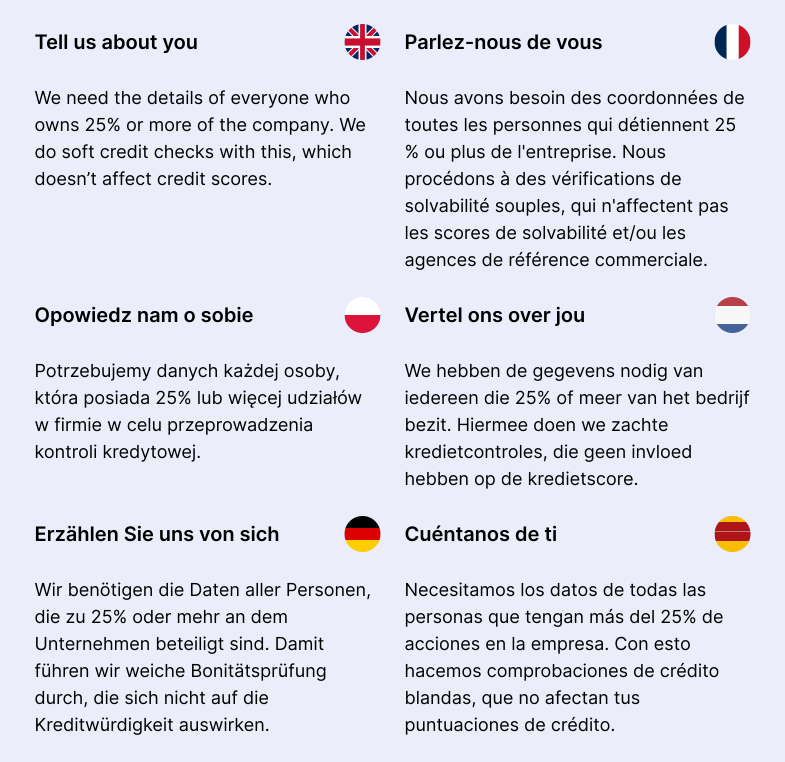
Everything from UI to contracts was translated into French, Polish, Dutch, German and Spanish, so I designed every component to wrap gracefully rather than retrofitting it later.
The first leap: Landing
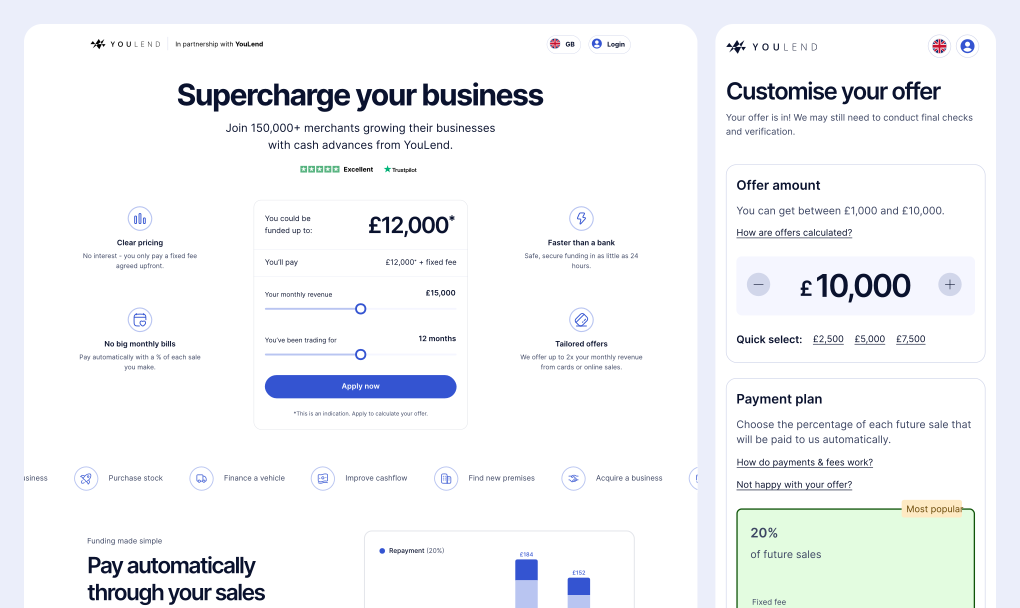
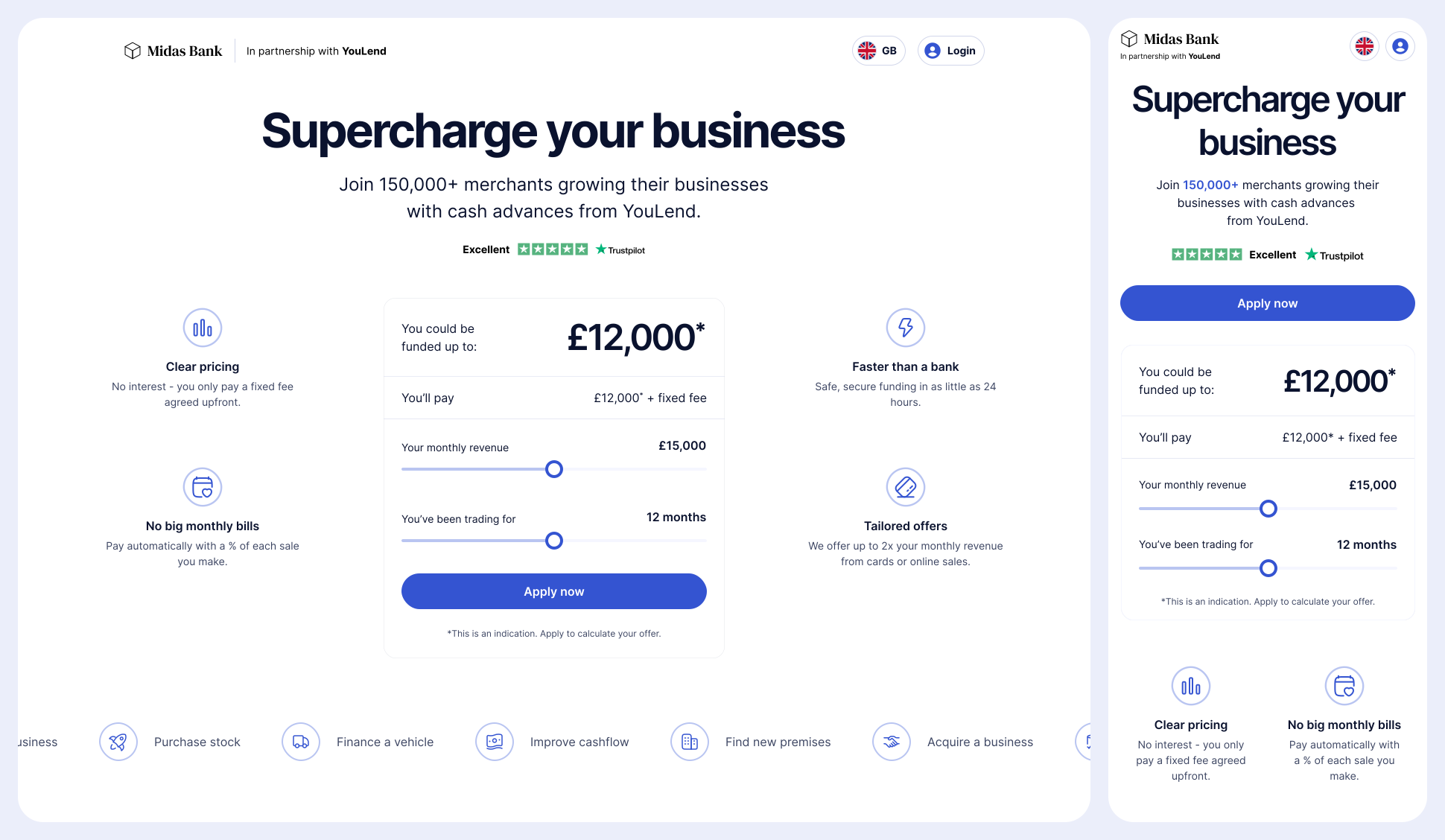
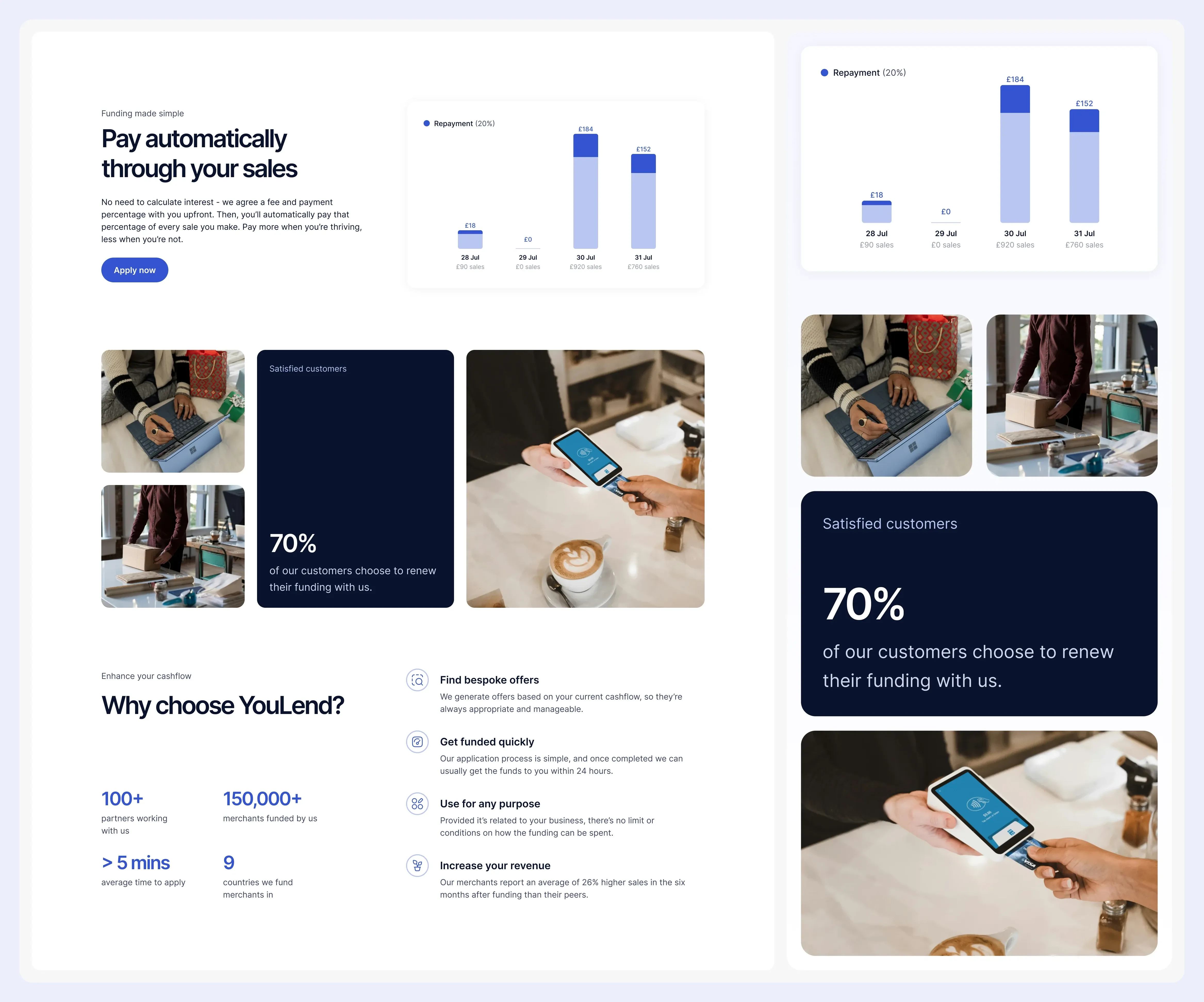
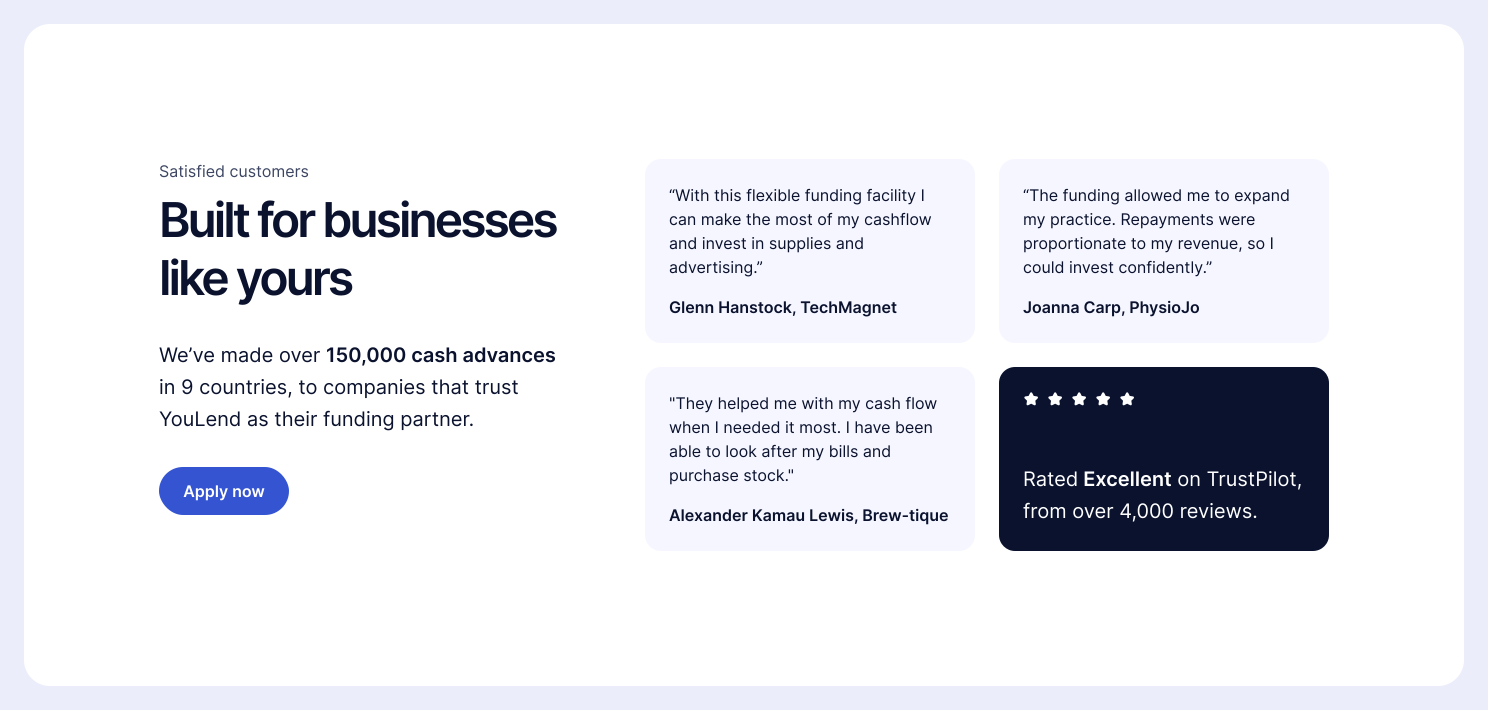
The landing page was the first point a merchant decided whether YouLend was worth their time. I rebuilt it around the questions they’d be asking: what the product is, what they could use the money for, and whether other merchants like them trusted it. That meant leading with features and benefits, then key information and social proof.
The second leap: Financial information
Merchants said the old screen didn’t feel safe, and they didn’t understand what they had to do. It also failed to explain why Open Banking was the better option, so many chose the manual upload, which was slower for them and more error-prone for us.
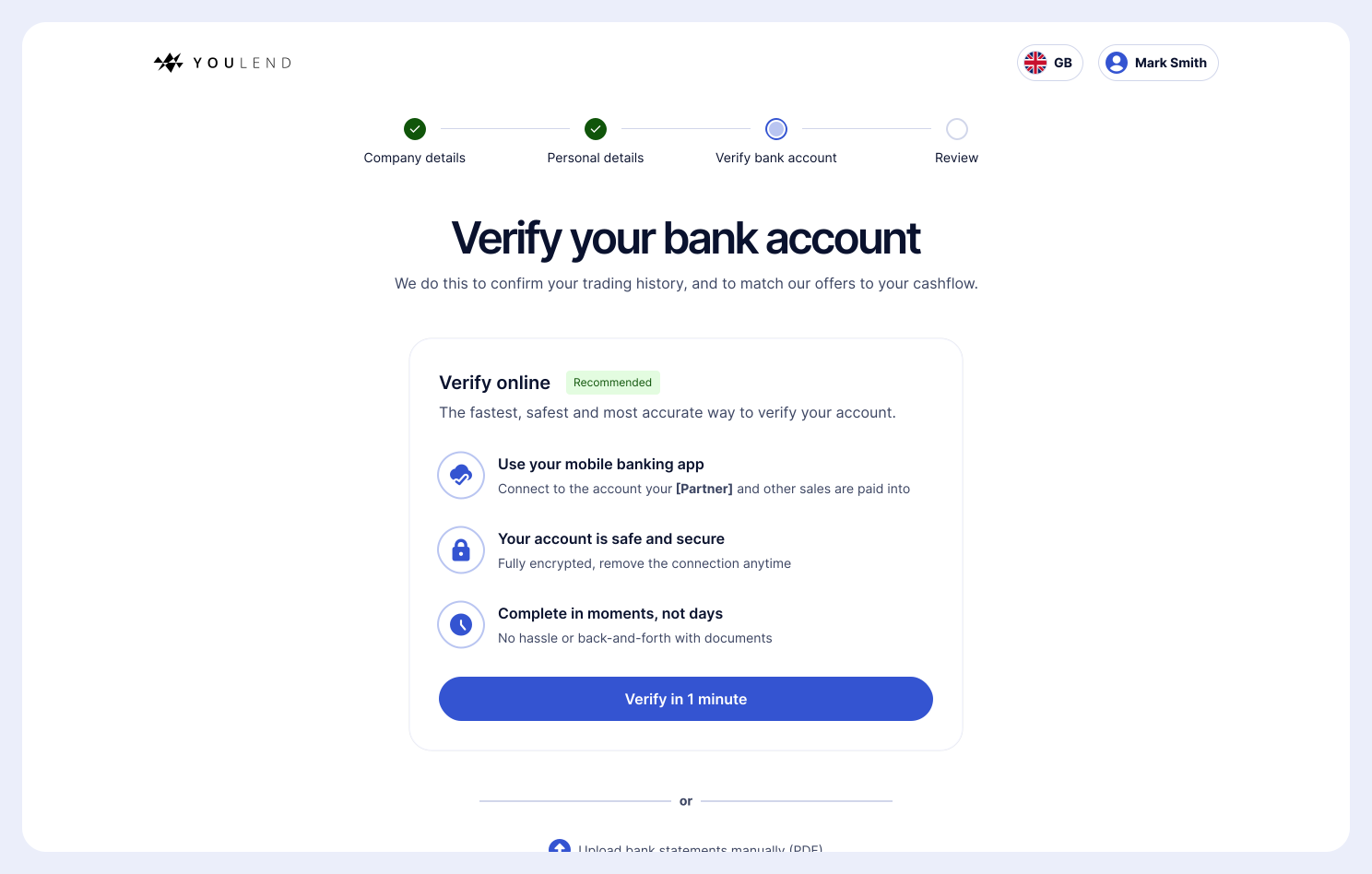
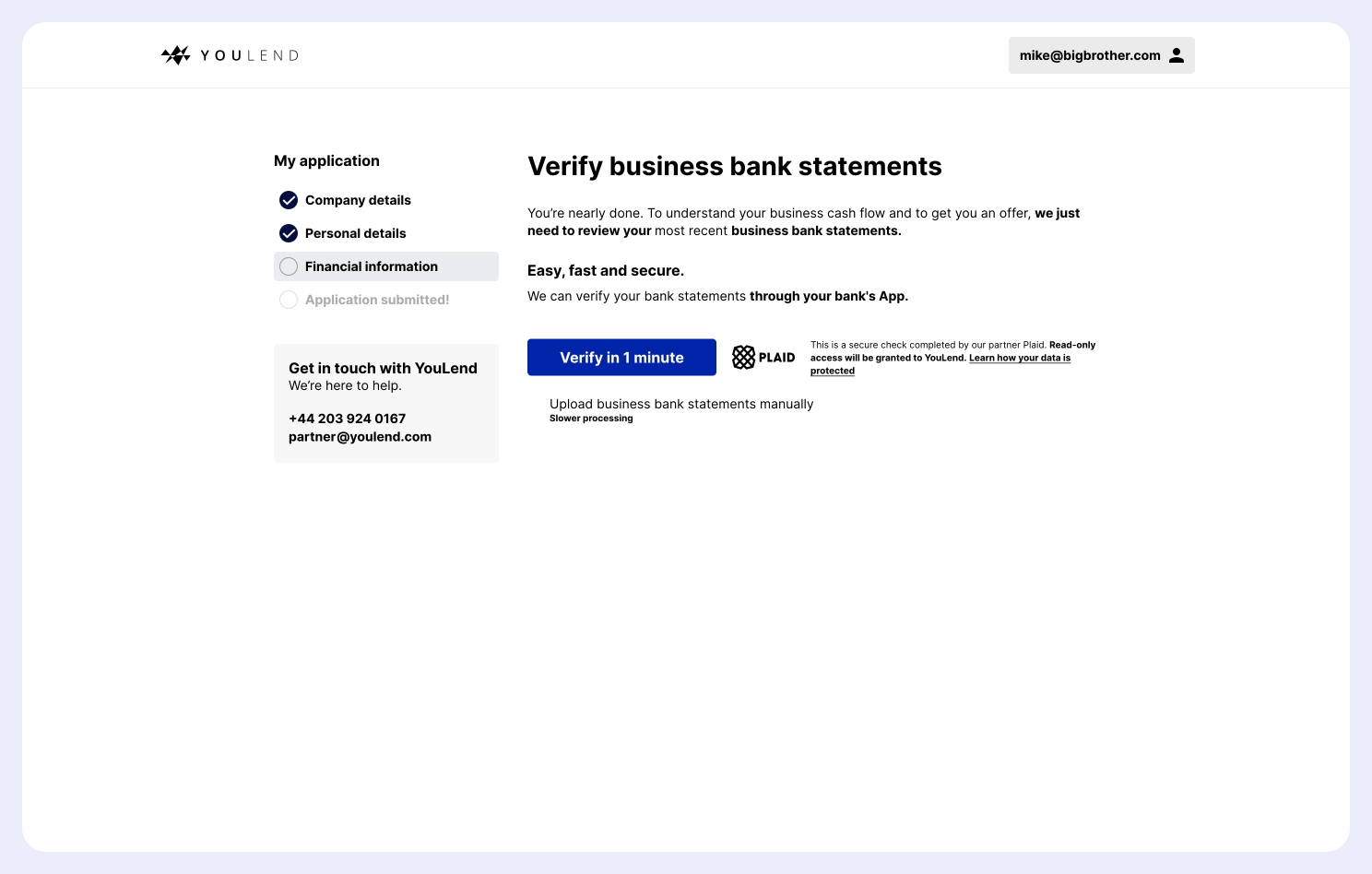
Financial information screen, before and after
The new design prioritises the action we wanted merchants to take, explains the reason plainly, and backs it with social proof and the concrete benefits of connecting over uploading.
Supporting moves
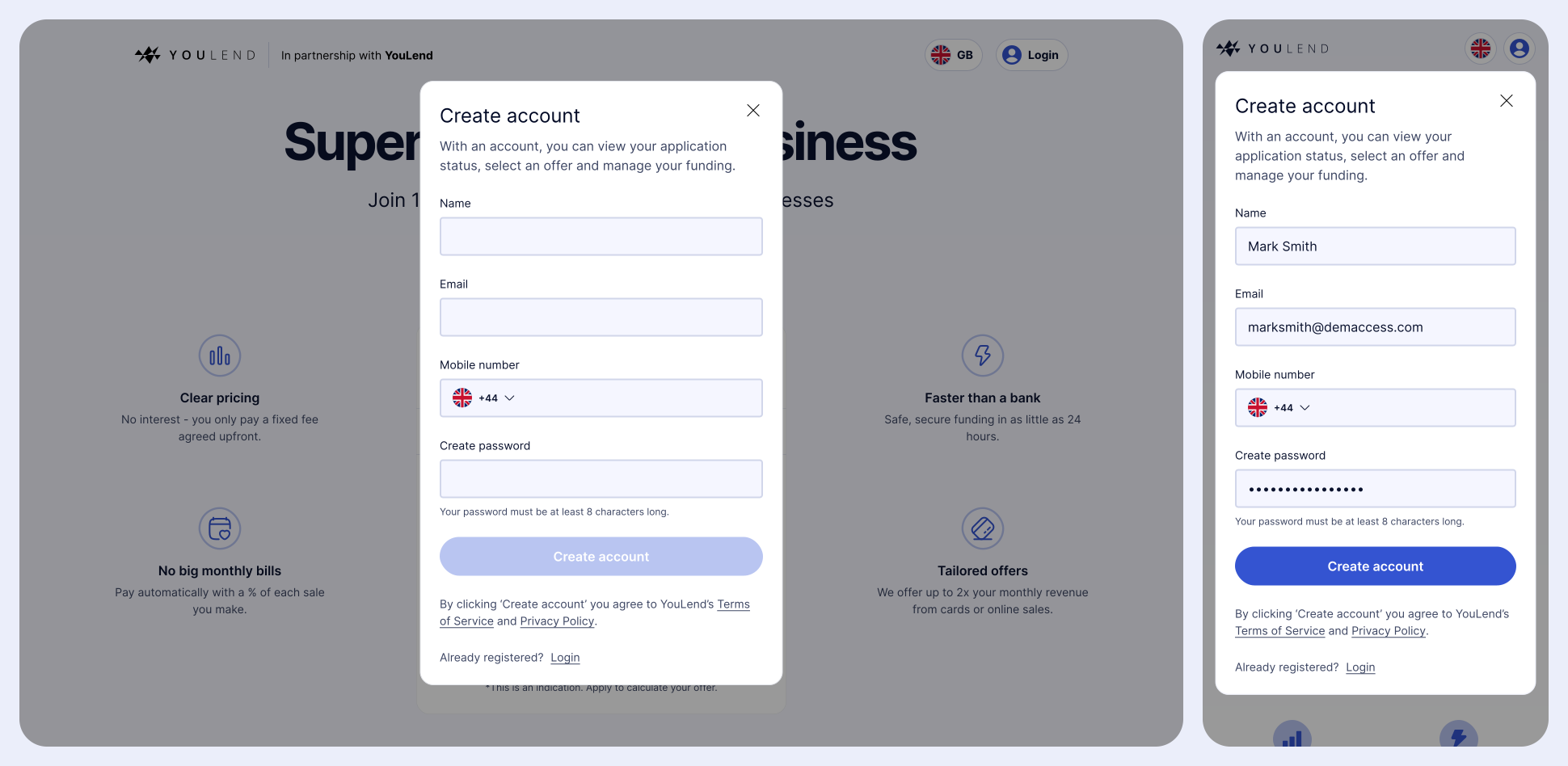
Account creation
A single modal to capture the details we knew helped merchants convert.
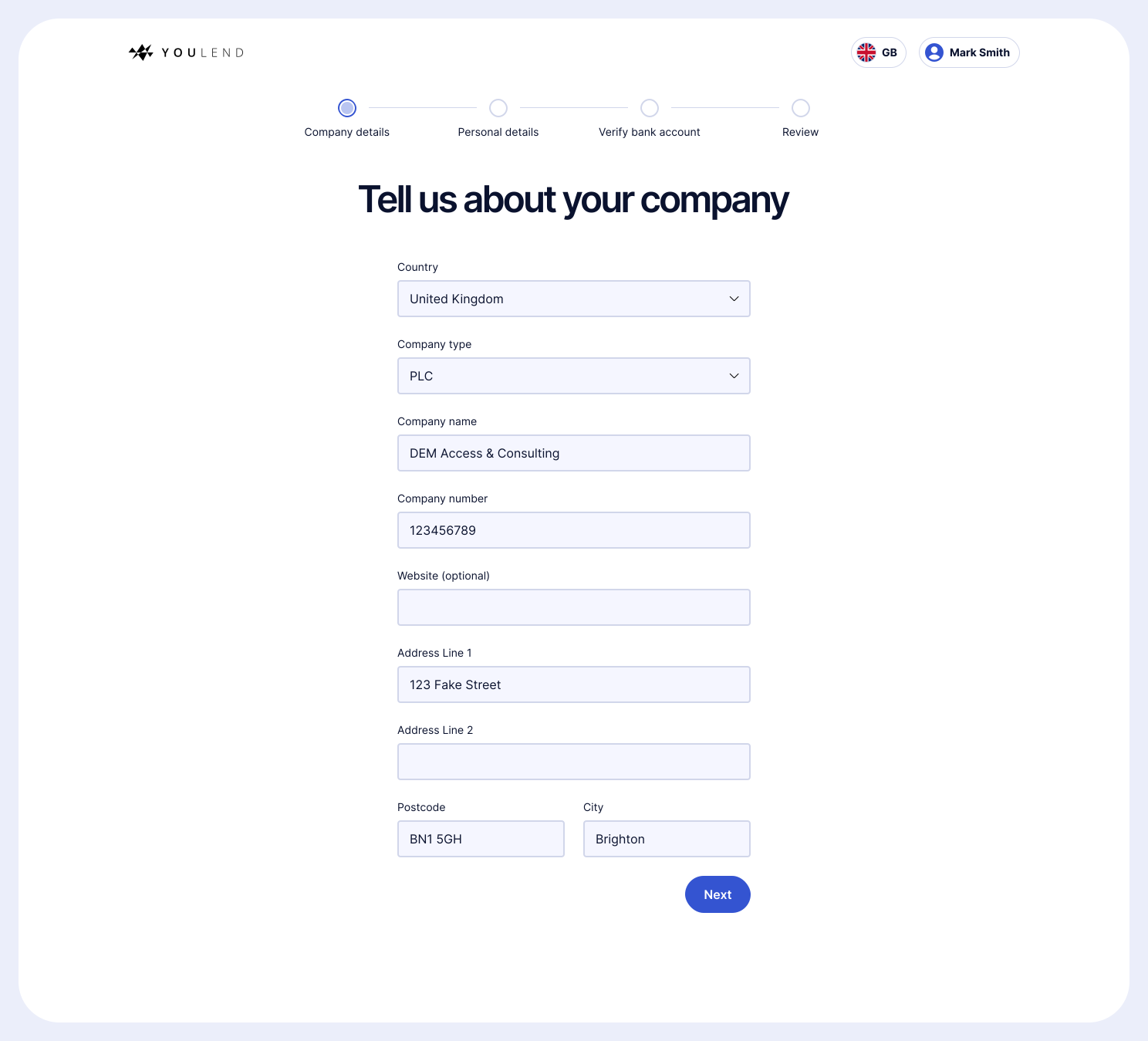
Forms that explain themselves
Single-column forms with a clear progress indicator, and copy that answered ‘why do you need this?’ before the merchant had to ask.
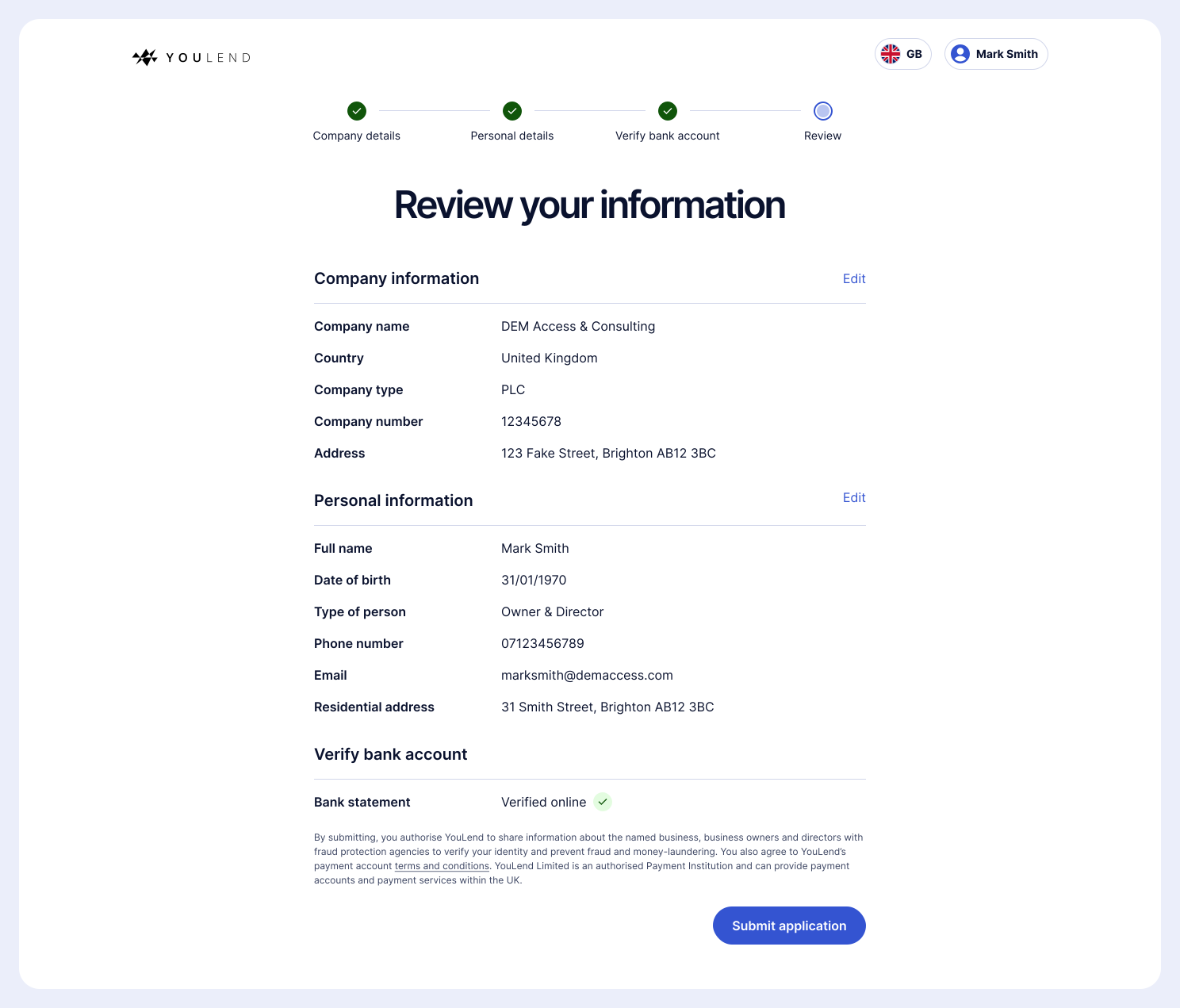
A real final step
The old journey ended on a screen with a single submit button; if a merchant dropped off after connecting Open Banking, it was somewhere to come back to, but it didn’t feel like the end of an application. I replaced it with a Review screen, so merchants could check their information and fix mistakes before submitting.
Offers without decision paralysis
Choosing an offer was one of the most important moments in the whole process, and one of the most complex. A merchant could have repayment plans anywhere from 5% to 30% in 0.5% increments: more than 50 options.
Showing all of them would have stalled the decision, so we limited the choice to the most viable options; usually between 10-20%. I emphasised interactivity and dynamic content, and added contextual help framed as questions, opening short explanations in place rather than sending merchants to an FAQ.
That page looks really cool. The previous version was factually all there but visually, it didn’t inspire enough excitement. But this is really good, I like it.
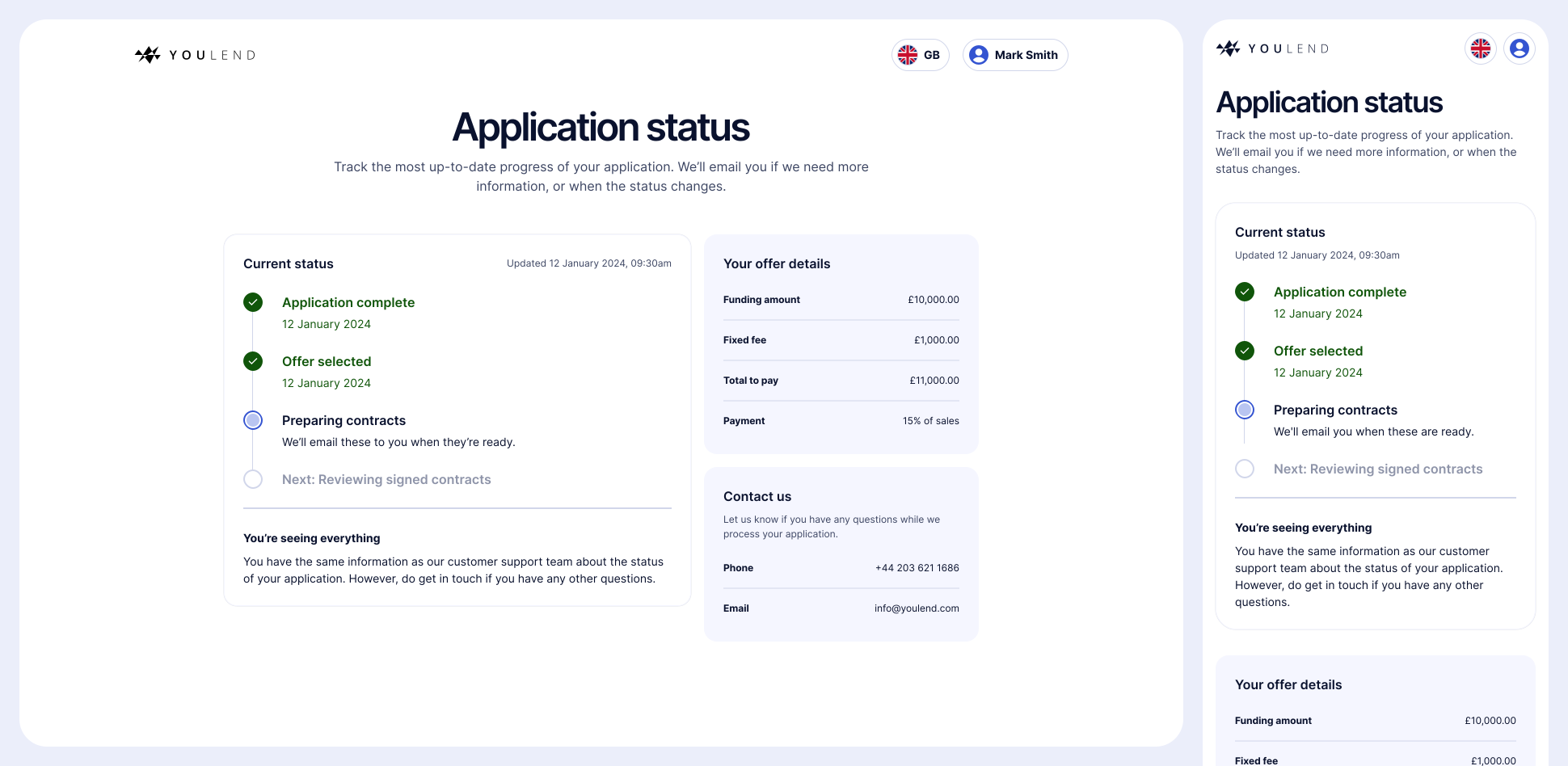
Answering the most common question
Because ‘what’s the latest on my application?’ was Customer Support’s most popular query, I designed an application status page showing how the application was progressing, and whether the customer needed to do anything.
Testing
I ran usability testing through Userbrain. Participants found the journey clear and understood why we needed their information. The main change it led to was tightening a handful of labels that merchants found awkward. Beyond that, testing confirmed the approach rather than redirecting it.
“Incredibly clear, everything is laid out in a way where it’s easy to fill out the information, but also I understand each process and why my information is needed.”
“It’s very transparent and clear, no difficulty in understanding what I’m needing to do.”
“I think [the instructions] were really clear, I never had a moment where I didn’t know what I needed to do next. I did sometimes want to read text again but the instructions were very clear in terms of what to do.”
“‘Type of person’ sounds very awkward, could that be ‘role’ or something else?”
“Just clarify who you’re verifying with, is it YouLend or someone else.”
“Deciding on the percentage is going to slow me down slightly.”
“I would do my research on YouLend first, make sure people are happy – check TrustPilot and things like that.”
Rollout
Bringing partners with us
A better journey was only useful if partners adopted it. Some weren’t willing to migrate without understanding the impact on their own merchants, which was fair, so rollout needed account management and comms alongside the design.
I led sessions with product and design teams at eBay, Amazon, Booking.com, Dojo and Mollie Capital to demo the new flow and answer their questions. All of them saw it as a significant improvement, and the journey was rolled out to every partner in the first half of 2025.
Equipping sales
I also rebuilt our sales demo templates around the new journey and our API integration, cutting the time to produce a demo by 90%, so the improvement became part of how YouLend sold to new partners.
Localisation
Yvonne and I wrote the copy in English, used DeepL for a first-draft translation, then asked native speakers in the company to check each language. Every team followed this process, and it was a bottleneck for all of them: without bilingual copywriters owning tone of voice in each language, there was often disagreement on what the ‘correct’ translation was.
Results
10%
average conversion uplift across partners
7%
increase in Open Banking connections
55%
reduction in calls about application status in the first month
90%
less time to produce sales demos
5
partner product teams briefed directly, including eBay and Amazon